python-扬帆启程
Python学习 - 新的启程
前言
闲着无聊,重学python,记录总结。
Life is short,I use python. —From person I don't konw
[TOC]
学习环境
linux和mac与生俱来,就比windows更适合windows。毕竟他们都是秉持着 一切皆对象 的原则。
python的安装无需多说,对于版本,我的看法是顺着时代,抛弃python2.x吧,虽然工作中很多库都建立在python2的依赖之上。但对于我们个人,直接学习python3.x是更聪明的选择。我的python版本是3.6
最好的学习资料还是推荐官方文档,有中文版
下面这张图是我偶然看见的,说明了python很多常用的语法
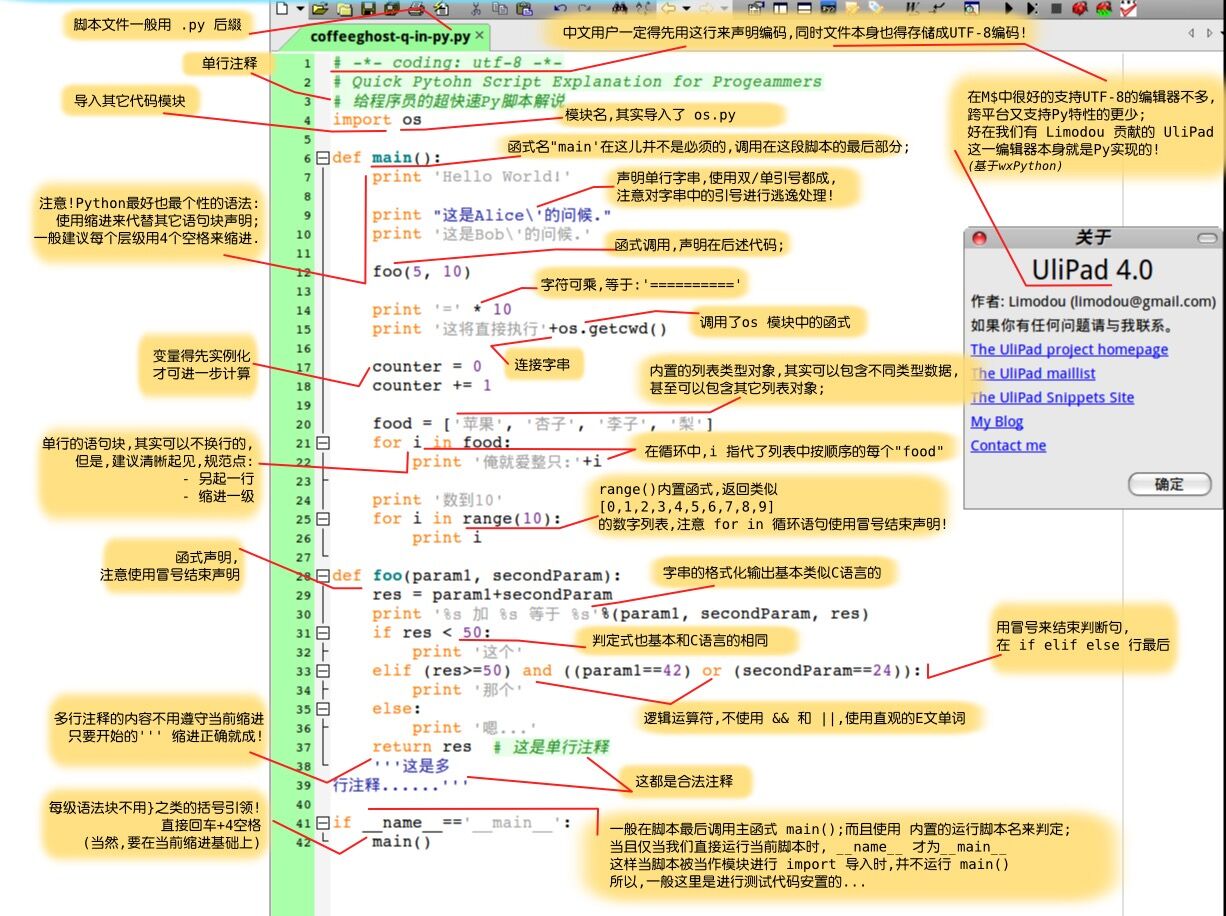 python快速入门
开发工具
用过vim的小伙伴当然是不用多想,vim很适合开发python。
如果是喜欢IDE的童鞋,那就肯定是Pycharm了。jetbrains的软件都是非常赞的。当然python新手也推荐用这款软件,我之前也是一直在用,唯一的缺点就是启动时加载项目太慢了。
我自己使用的是sublime text3和相关的python package,sublime3界面比较好看,颜值吸引了我,专有的包管理器,扩展性不错。至于怎么配置,网上还是很多分享的。这里我只推荐两个package
-
SublimeREPL ,这样就无需重复的保存,取cmd执行.py文件。在editor中可以直接编译运行py脚本
-
sublime3已经支持了函数声明跳转功能,但在项目文件变得杂多时,跳转结果并不准确,推荐ctags。这个大名鼎鼎的插件就不用多说了
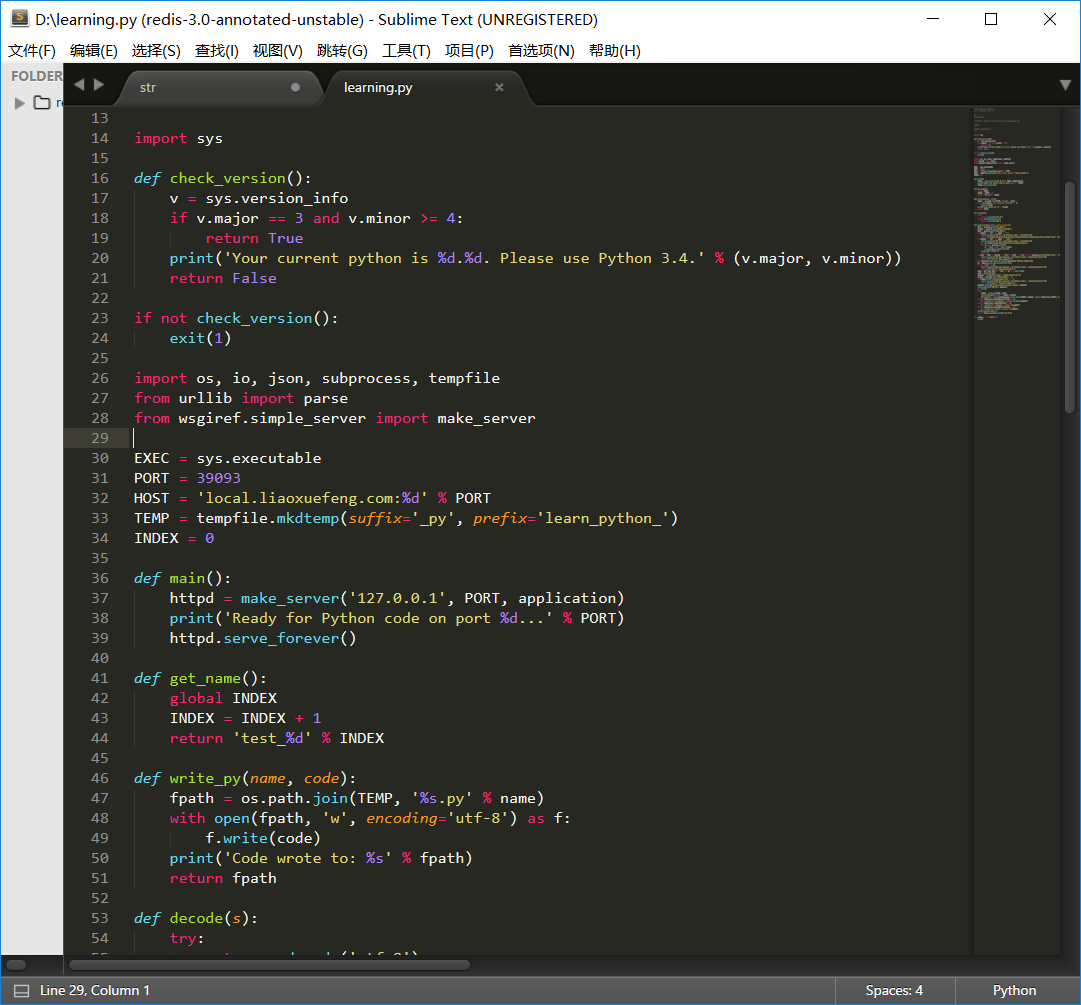 sublime text3
上面三种方法对于初学者还是比较麻烦,尤其是第一和第三种。所以python3之后加入了idle代码解释器,下载之后,可以直接使用python自带的cmdline或者Idle的交互环境先学起来。
提示python解释器的注释
-
编码方式
# -*- coding: utf-8 -*- -
指定执行脚本的python解释器,必须在第一行,推荐下面的写法,让操作系统在env中寻找python解释器的路径
#!/usr/bin/env python3
python中的字符串
基本
python支持单引号 'str' 和双引号 "str" 来修饰字符串,\ 用来转义。
>>> 'spam eggs'  # single quotes
'spam eggs'
>>> 'doesn\'t'   # use \' to escape the single quote...
"doesn't"
>>> "doesn't"    # ...or use double quotes instead
"doesn't"
>>> '"Yes," he said.'
'"Yes," he said.'
>>> "\"Yes,\" he said."
'"Yes," he said.'
>>> '"Isn\'t," she said.'
'"Isn\'t," she said.'
可以看出来,单引号和双引号,相互之间的影响,是可以嵌套作用的。当然不推荐将简单的字符串写的如此复杂。
选用一种引号,再加上转义字符 \ 和 原始字符串 可以处理绝大部分的字符串。 原始字符串 :r . r'str' 中的str默认不转义
>>> print('C:\some\name')  # here \n means newline!
C:\some
ame
>>> print(r'C:\some\name')  # note the r before the quote
C:\some\name
上面也可以用 print('C:\some\\name') 来避免冲突,但是明显不如使用 原始字符串 理解起来方便。
格式化
和C语言类似,利用 % 来格式化输出,%s %d %f %x 分别用来代替字符串/整数/浮点数和十六进制整数,称为占位符。分不清楚的时候可以无需考虑直接使用 %s
>>> 'Hello, %s' % 'world'
'Hello, world'
>>> 'Hi, %s, you have $%d.' % ('Michael', 1000000)
'Hi, Michael, you have $1000000.'
除了使用 % 来格式化,功能更多,使用起来更方便的是字符串自带的格式化函数 format ,具体用法看 str.format
# 位置参数
print "{0} is {1} years old".format("Wilber", 28)
print "{} is {} years old".format("Wilber", 28)
print "Hi, {0}! {0} is {1} years old".format("Wilber", 28)

# 关键字参数
print "{name} is {age} years old".format(name = "Wilber", age = 28)

# 下标参数
li = ["Wilber", 28]
print "{0[0]} is {0[1]} years old".format(li)

# 填充与对齐
# ^、<、>分别是居中、左对齐、右对齐,后面带宽度
# :号后面带填充的字符,只能是一个字符,不指定的话默认是用空格填充
print '{:>8}'.format('3.14')
print '{:<8}'.format('3.14')
print '{:^8}'.format('3.14')
print '{:0>8}'.format('3.14')
print '{:a>8}'.format('3.14')

# 浮点数精度
print '{:.4f}'.format(3.1415926)
print '{:0>10.4f}'.format(3.1415926)

# 进制
# b、d、o、x分别是二进制、十进制、八进制、十六进制
print '{:b}'.format(11)
print '{:d}'.format(11)
print '{:o}'.format(11)
print '{:x}'.format(11)
print '{:#x}'.format(11)
print '{:#X}'.format(11)

# 千位分隔符
print '{:,}'.format(15700000000)
多行字符串
python使用三引号来处理多行字符串
print("""\
Usage: thingy [OPTIONS]
     -h                        Display this usage message
     -H hostname               Hostname to connect to
""")
字符串的高级特性
-
索引
字符串可以通过index访问,如
str[0],str[1], ... str[len(str)-1]还可以逆序访问
str[-1],str[-2], ...其中 str[len(str)-1] = str[-1]
-
切片
切片表达式 :
str[a:b:c]
从str字符串,按步长c,从下限a到上限b (不包含上限),取出单个字符组成字符串>>> word = 'abcdefghijklmn' >>> word[0:3] # characters from position 0 (included) to 2 (excluded) 'abc' >>> word[5:10:2] 'fhj' >>> word[-10:-1:2] 'ehikm'当然不只是 字符串 这种数据类型才有 切片 特性,切片特性是可迭代对象共有的。
-
字符串是python中少有的不可变对象
python是动态语言,其中的不可变对象很少,比如tuple,字符串也是其中一种。
字符串的常用内置函数
字符串是python的基本数据类型,但本质上,它是python封装的一个类对象,拥有着很多属性。
>>>type(str)
<class 'type'>
>>>dir(str)
['__add__', '__class__', '__contains__', '__delattr__', '__dir__', '__doc__', '__eq__', '__format__', '__ge__', '__getattribute__', '__getitem__', '__getnewargs__', '__gt__', '__hash__', '__init__', '__init_subclass__', '__iter__', '__le__', '__len__', '__lt__', '__mod__', '__mul__', '__ne__', '__new__', '__reduce__', '__reduce_ex__', '__repr__', '__rmod__', '__rmul__', '__setattr__', '__sizeof__', '__str__', '__subclasshook__', 'capitalize', 'casefold', 'center', 'count', 'encode', 'endswith', 'expandtabs', 'find', 'format', 'format_map', 'index', 'isalnum', 'isalpha', 'isdecimal', 'isdigit', 'isidentifier', 'islower', 'isnumeric', 'isprintable', 'isspace', 'istitle', 'isupper', 'join', 'ljust', 'lower', 'lstrip', 'maketrans', 'partition', 'replace', 'rfind', 'rindex', 'rjust', 'rpartition', 'rsplit', 'rstrip', 'split', 'splitlines', 'startswith', 'strip', 'swapcase', 'title', 'translate', 'upper', 'zfill']
dir(str) 以 list 的形式给出了字符串这个类的所有属性。常用的有:
-
str.capitalize()将字符串第一个元素大写 -
str.find(string,beg=0,end=len(str))检查str中是否还有string,找到返回起始索引 -
str.join(seq)以str作为分隔,将seq中所有元素组成一个新的字符串>>>word = 'Allenware' >>>'-'.join(word) 'A-l-l-e-n-w-a-r-e' -
str.split(str="",num=str.count(str))以 str 为分隔符切片 string,如果 num有指定值,则仅分隔 num 个子字符串 -
str.partition(str)按string将str分为三段,返回一个包含三个元素的元组>>>string='Allenware is very cool!' >>>string.partition('is') ('Allenware ', 'is', ' very cool!') -
str.strip()=str.lstrip()+str.rstrip()截掉str左边右边空格 -
str.upperstr.lower大小写转换


